const { chromium, firefox, webkit } = require('playwright');

// Approach - 1
async function test_1() {
    // Creating browser instanse
    const browser = await chromium.launch({ headless: false });

    // Creating browser context
    const context = await browser.newContext();

    // Launching browser
    const page = await context.newPage();

    // Opening the url
    await page.goto('https://www.google.com');

    // Printing total number of contexts on the browser
    console.log(browser.contexts().length);

    // closing the browser
    await browser.close();
}

// Approach - 2
async function test_2() {
    // Creating browser instanse
    const browser = await chromium.launch({ headless: false });

    // Creating browser context & Launching browser
    const page = await browser.newPage();

    // Opening the url
    await page.goto('https://www.google.com');

    // Printing total number of contexts on the browser
    console.log(browser.contexts().length);

    // closing the browser
    await browser.close();
}

test_1();
test_2();

/*
 * To run this file, execute below command
 * ----------------------------------------
 * node fileName.js
 */
test('Test Name', async ({page, browserName}, testInfo) => {
	await page.goto('https://www.google.com');

	console.log('browserName: ', browserName);
	console.log('testInfo.timeout: ', testInfo.timeout);

	await page.close();
})
await page.waitForSelector('[data-ody-id="AdvanceSearchLink"]');
await page.waitForSelector('[data-ody-id="AdvanceSearchLink"]', {state: 'visible'});
public void waitForDocumentToGetReady() {
    new WebDriverWait(webDriver, 60).until((ExpectedCondition<Boolean>) wd -> ((JavascriptExecutor) wd)
        .executeScript("return document.readyState").equals("complete"));
}
async function waitForDocumentToGetReady(page) {
    await page.waitForLoadState('networkidle', { timeout: 60000 });
}
public void waitForAjaxToComplete() {
	waitForDocumentToGetReady();
	new WebDriverWait(webDriver, 120).until((ExpectedCondition<Boolean>) driver -> {
		JavascriptExecutor js = (JavascriptExecutor) driver;
		if ((Boolean) js.executeScript("return !!window.jQuery")) {
			return (Boolean) js.executeScript("return jQuery.active == 0");
		} else {
			LoggerUtils.logInfo("Jquery is not loaded for " + getCurrentURL());
			return true;
		}
	});
}
async function waitForAjaxToComplete(page) {
    await page.waitForFunction(() => {
        if (window.jQuery) {
            return jQuery.active === 0;
        } else {
            console.log("jQuery is not loaded for " + window.location.href);
            return true;
        }
    }, { timeout: 120000 });
}
test('Increase Test Timeout - Approach 1', async ({page}, testInfo) => {

    // Increaase test timeout - Approach 1
    test.setTimeout(60000);

    console.log(testInfo.timeout);
})
test('Increase Test Timeout - Approach 2', async ({page}, testInfo) => {

    // Increaase test timeout - Approach 2
    test.setTimeout(testInfo.timeout+10000);

    console.log(testInfo.timeout);
})
Handling web elements. Click here for more
test('Handling Text field', async ({page}) => {

    await page.goto('https://testautomationpractice.blogspot.com/');

    // Approach-1 (fill will always clear and type)
    await page.locator('[id="name"]').fill('Sachin');

    // Approach-2
    await page.fill('[id="email"]', 's@ch.in');

    // Approach-3 (type will type letter by letter)
    await page.locator('[id="phone"]').type('1234567890');

    // Approach-4
    await page.type('[id="textarea"]', 'Sachin kn, Chikkamagaluru (D)');

})
Click method will just click on the element, but check will click if it is not selected.
test('Handling Click actions', async ({page}) => {

    await page.goto('https://testautomationpractice.blogspot.com/');

    // Buttons ---------------------------------------------------------------------------

    // Approach-1
    await page.locator('(//*[@id="productTable"]//input)[1]').click();

    // Approach-2
    await page.click('(//*[@id="productTable"]//input)[2]');


    // Radio button -------------------------------------------------------------------------

    // Approach-1
    await page.locator('[id="male"]').check();

    // Approach-2
    await page.check('[id="female"]');


    // Checkboxes -------------------------------------------------------------------------

    // Approach-1
    await page.locator('[id="sunday"]').check();

    // Approach-2
    await page.check('[id="monday"]');

    // Unchecking the checkboxes
    await page.uncheck('[id="monday"]');

})
test('Handling Dropdowns', async ({page}) => {

    await page.goto('https://testautomationpractice.blogspot.com');

    // using Visible text -------------------------------------------------------------

    // Approach-1
    await page.selectOption('[id="country"]', {label: 'Canada'});

    // Approach-2
    await page.selectOption('[id="country"]', 'United Kingdom');


    // using Value --------------------------------------------------------------------

    // Approach-1
    await page.selectOption('[id="country"]', 'usa');

    // Approach-2
    await page.selectOption('[id="country"]', {value: 'france'});


    // using Index --------------------------------------------------------------------

    // Approach-1
    await page.selectOption('[id="country"]', {index: 5});


    // logging details
    console.log(await page.locator('#country option').count());
    console.log(await page.locator('#country option').nth(2).textContent());
    console.log((await page.locator('#country').textContent()).trim().split('\n'));

    // Assertions
    await expect(page.locator('#country option')).toHaveCount(10)
    expect(await page.locator('#country option').count() === 10).toBeTruthy();
    expect((await page.locator('#country').textContent()).includes('India')).toBeTruthy();

})
test('Handling Multi Select Dropdown', async ({page}) => {

    await page.goto('https://testautomationpractice.blogspot.com');

    // Approach-1
    await page.selectOption('#colors', ['red', 'green', 'white']);

    // Assertions
    await expect(page.locator('#colors')).toHaveValues(['red', 'green', 'white']);
    await expect(page.locator('#colors option')).toHaveCount(5);
    expect(await page.locator('#colors option').count()).toBe(5);
    expect(await page.locator('#colors option').count() == 5).toBeTruthy();
})
test('Alert with ok', async ({page}) => {

    await page.goto('https://testautomationpractice.blogspot.com');

    // By default Alert dialog will be disabled, this is to enable alert dialog
    page.on('dialog', async dialog => {

        console.log('dialog type:', dialog.type());
        console.log('dialog message:', dialog.message());

        // Alerts
        expect(dialog.type().includes('alert')).toBeTruthy();
        expect(dialog.type()).toContain('alert');
        expect(dialog.message().includes('I am an alert box!')).toBeTruthy();
        expect(dialog.message()).toContain('I am an alert box!');

        // to accept dialog
        await page.waitForTimeout(5000);
        await dialog.accept();
    })

    await page.click('//button[normalize-space()="Alert"]');

    await page.waitForTimeout(5000);

})
test('Alert with confirmation', async ({page}) => {

    await page.goto('https://testautomationpractice.blogspot.com');

    // By default Alert dialog will be disabled, this is to enable alert dialog
    page.on('dialog', async dialog => {

        console.log('dialog type:', dialog.type());
        console.log('dialog message:', dialog.message());

        // Alerts
        expect(dialog.type().includes('confirm')).toBeTruthy();
        expect(dialog.type()).toContain('confirm');
        expect(dialog.message().includes('Press a button!')).toBeTruthy();
        expect(dialog.message()).toContain('Press a button!');

        // to accept dialog
        await page.waitForTimeout(5000);
        await dialog.dismiss();
    })

    await page.click('//button[normalize-space()="Confirm Box"]');

    console.log(await page.textContent('#demo'));

    expect(await page.textContent('#demo')).toContain('You pressed Cancel!');

    await page.waitForTimeout(5000);

})
test('Alert with prompt', async ({page}) => {

    await page.goto('https://testautomationpractice.blogspot.com');

    // By default Alert dialog will be disabled, this is to enable alert dialog
    page.on('dialog', async dialog => {

        console.log('dialog type:', dialog.type());
        console.log('dialog message:', dialog.message());

        // Alerts
        expect(dialog.type().includes('prompt')).toBeTruthy();
        expect(dialog.type()).toContain('prompt');
        expect(dialog.message().includes('Please enter your name:')).toBeTruthy();
        expect(dialog.message()).toContain('Please enter your name:');
        expect(dialog.defaultValue()).toContain('Harry Potter');

        // to accept dialog
        await page.waitForTimeout(5000);
        await dialog.accept('Sachi');
    })

    await page.click('//button[normalize-space()="Prompt"]');

    console.log(await page.textContent('#demo'));

    expect(await page.textContent('#demo')).toContain('Hello Sachi! How are you today?');

    await page.waitForTimeout(5000);

})
test('To get the frames count', async ({page}) => {

    await page.goto('https://ui.vision/demo/webtest/frames/');

    let allFrames = page.frames();

    console.log('Toatl number of frames present are: ', allFrames.length)

})
test('To interact with the frame using url', async ({page}) => {

    await page.goto('https://ui.vision/demo/webtest/frames/');

    // using frame() - we can pass frame name directly or we can also pass object with url.
    let frame_1 = page.frame({url: /.*frame_1.html/});

    await frame_1.fill('[name="mytext1"]', 'Hello');

    await frame_1.waitForTimeout(5000);

})
test('To interact with the frame using frame locator', async ({page}) => {

    await page.goto('https://ui.vision/demo/webtest/frames/');

    // using frameLocator()
    let frame_1 = page.frameLocator('[src="frame_1.html"]');

    await frame_1.locator('[name="mytext1"]').fill('Hello');

    await frame_1.waitForTimeout(5000);

})
test('To interact with the inner frame', async ({page}) => {

    await page.goto('https://ui.vision/demo/webtest/frames/');

    // using frame()
    let allInnerFrames = page.frame({url: /.*frame_3.html/}).childFrames();

    await allInnerFrames[0].click('(//div[@role="listitem"])[1]//span[@role="presentation"]//label[.="Other:"]');
    await allInnerFrames[0].fill('(//div[@role="listitem"])[1]//span[@role="presentation"]//input', "Hello I'm Sachi");

    await allInnerFrames[0].waitForTimeout(5000);

})
test('Elements.filter()', async ({page}) => {

    await page.goto('https://testautomationpractice.blogspot.com/');

    let tableRow = page.locator('[id="productTable"] tr');

    /*
        tableRow locator will match all the rows of a table including header,
        in that we need to filter which row is having checkbix & name Product-3
        and we need to click on the check box
    */

    let filterdTableRow = tableRow.filter({
        has: page.locator('td'),
        hasText: 'Product 3'
    })

    await filterdTableRow.locator('input').click();

})
test('Printing web table', async ({page}) => {

    await page.goto('https://testautomationpractice.blogspot.com/');

    let webTable = page.locator('[name="BookTable"]');
    let tableRow = webTable.locator('tr');

    for (let i=0; i<await tableRow.count(); i++) {
        let rowData = [];
        for (let j=0; j<await tableRow.nth(i).locator('th,td').count(); j++) {
            rowData.push(await tableRow.nth(i).locator('th,td').nth(j).textContent());
        }
        console.log(rowData.join('\t'));
    }
})
BookName                Author      Subject         Price
Learn Selenium          Amit        Selenium        300
Learn Java              Mukesh      Java            500
Learn JS                Animesh     Javascript      300
Master In Selenium      Mukesh      Selenium        3000
Master In Java          Amod        JAVA            2000
Master In JS            Amit        Javascript      1000
test('Printing table data as []{}', async ({page}) => {

    await page.goto('https://testautomationpractice.blogspot.com/');

    let webTable = page.locator('[name="BookTable"]');

    let tableRow = webTable.locator('tr');
    let tableHeaderRow = tableRow.filter({has: page.locator('th')});
    let tableDataRow = tableRow.filter({has: page.locator('td')});

    let tableData = [];
    for (let i=0; i<await tableDataRow.count(); i++) {
        let rowData = {};
        for (let j=0; j<await tableDataRow.nth(i).locator('td').count(); j++) {

            let key = await tableHeaderRow.locator('th').nth(j).textContent();
            let value = await tableDataRow.nth(i).locator('td').nth(j).textContent();

            rowData[key] = value;

        }
        tableData.push(rowData);
    }

    console.log(tableData);
})
[
  {
    BookName: 'Learn Selenium',
    Author: 'Amit',
    Subject: 'Selenium',
    Price: '300'
  },
  {
    BookName: 'Learn Java',
    Author: 'Mukesh',
    Subject: 'Java',
    Price: '500'
  },
  {
    BookName: 'Learn JS',
    Author: 'Animesh',
    Subject: 'Javascript',
    Price: '300'
  },
  {
    BookName: 'Master In Selenium',
    Author: 'Mukesh',
    Subject: 'Selenium',
    Price: '3000'
  },
  {
    BookName: 'Master In Java',
    Author: 'Amod',
    Subject: 'JAVA',
    Price: '2000'
  },
  {
    BookName: 'Master In JS',
    Author: 'Amit',
    Subject: 'Javascript',
    Price: '1000'
  }
]
test('Move to element', async ({page}) => {

    await page.goto('https://testautomationpractice.blogspot.com');

    await page.hover('#colors');

})
test('Right click actions', async ({page}) => {
    await page.goto('https://testautomationpractice.blogspot.com/');

    // Approach-1
    await page.locator('[id="name"]').click({button: "right"});
})
test('Double click actions', async ({page}) => {

    await page.goto('https://testautomationpractice.blogspot.com/');

    // Approach-1
    await page.locator('button[ondblclick]').dblclick();

    // Approach-2
    await page.locator('button[ondblclick]').click({clickCount: 2});

    // Assertions
    expect((await page.locator('#field2').inputValue()).includes('Hello World!')).toBeTruthy();
    await expect(page.locator('#field2')).toHaveValue('Hello World!');
})
test('Drag and Drop', async ({page}) => {

    await page.goto('https://testautomationpractice.blogspot.com/');

    let sourceEle = page.locator('#draggable');
    let targetEle = page.locator('#droppable');

    await sourceEle.dragTo(targetEle);

    await page.waitForTimeout(5000);
})
test('Drag and Drop', async ({page}) => {

    await page.goto('https://testautomationpractice.blogspot.com/');

    let sourceEle = page.locator('#draggable');
    let targetEle = page.locator('#droppable');

    await sourceEle.hover();
    await page.mouse.down();

    await targetEle.hover();
    await page.mouse.up();

    await page.waitForTimeout(5000);
})
test('Copy paste text', async ({page}) => {
    await page.goto('https://testautomationpractice.blogspot.com');

    await page.fill('#field1', 'My name is Sachin.');

    await page.press('#field1', 'Control+A');
    await page.press('#field1', 'Control+C');
    await page.press('#field2', 'Control+V');
})
test.skip('clear and type - Approach 1', async ({page}) => {
    await page.goto('https://testautomationpractice.blogspot.com');

    await page.fill('#field1', 'Hello Bro!');
})
test.skip('clear and type - Approach 2', async ({page}) => {
    await page.goto('https://testautomationpractice.blogspot.com');

    await page.click('#field1', {clickCount: 3});
    await page.press('#field1', 'Backspace');

    await page.type('#field1', 'Hello Bro!');
})
test.skip('clear and type - Approach 3', async ({page}) => {
    await page.goto('https://testautomationpractice.blogspot.com');

    await page.press('#field1', 'Control+A');
    await page.press('#field1', 'Backspace');

    await page.type('#field1', 'Hello Bro!');
})
test.skip('clear and type - Approach 4', async ({page}) => {
    await page.goto('https://testautomationpractice.blogspot.com');

    await page.click('#field1');

    await page.keyboard.down('Control');
    await page.keyboard.down('A');
    await page.keyboard.up('A');
    await page.keyboard.up('Control');

    await page.keyboard.down('Backspace');
    await page.keyboard.up('Backspace');

    await page.fill('#field1', 'Hello Bro!');
})
test('Upload Files - Single file', async ({page}) => {

    await page.goto('https://davidwalsh.name/demo/multiple-file-upload.php');

    await page.locator('#filesToUpload').setInputFiles('..\\tests\\resources\\Assignment_1.pdf');

    await expect(page.locator('#fileList li:nth-child(1)')).toHaveText('Assignment_1.pdf');

    await page.waitForTimeout(5000);

})
test.skip('Upload Files - Multiple files', async ({page}) => {

    await page.goto('https://davidwalsh.name/demo/multiple-file-upload.php');

    await page.locator('#filesToUpload').setInputFiles(['..\\tests\\resources\\Assignment_1.pdf', '..\\tests\\resources\\Assignment_2.pdf']);

    await expect(page.locator('#fileList li:nth-child(1)')).toHaveText('Assignment_1.pdf');
    await expect(page.locator('#fileList li:nth-child(2)')).toHaveText('Assignment_2.pdf');

    await page.waitForTimeout(5000);

})
test('Upload Files - Remove uploaded file', async ({page}) => {

    await page.goto('https://davidwalsh.name/demo/multiple-file-upload.php');

    await page.locator('#filesToUpload').setInputFiles(['..\\tests\\resources\\Assignment_1.pdf', '..\\tests\\resources\\Assignment_2.pdf']);

    await expect(page.locator('#fileList li:nth-child(1)')).toHaveText('Assignment_1.pdf');
    await expect(page.locator('#fileList li:nth-child(2)')).toHaveText('Assignment_2.pdf');

    await page.waitForTimeout(3000);

    // To remove the files.
    await page.locator('#filesToUpload').setInputFiles([]);

    await expect(page.locator('#fileList li:nth-child(1)')).toHaveText('No Files Selected');

    await page.waitForTimeout(5000);

})
test('Page Screenshot', async ({page}) => {
    await page.goto('https://testautomationpractice.blogspot.com');

    await page.screenshot({path: 'tests/screenshots/HomePage_' + Date.now() + '.png'});
})
test('Full Page Screenshot', async ({page}) => {
    await page.goto('https://testautomationpractice.blogspot.com');

    await page.screenshot({path: 'tests/screenshots/FullPage_' + Date.now() + '.png', fullPage: true});
})
test('Element Screenshot', async ({page}) => {
    await page.goto('https://testautomationpractice.blogspot.com');

    await page.locator('[name="BookTable"]').screenshot({path: 'tests/screenshots/Element_' + Date.now() + '.png'});
})
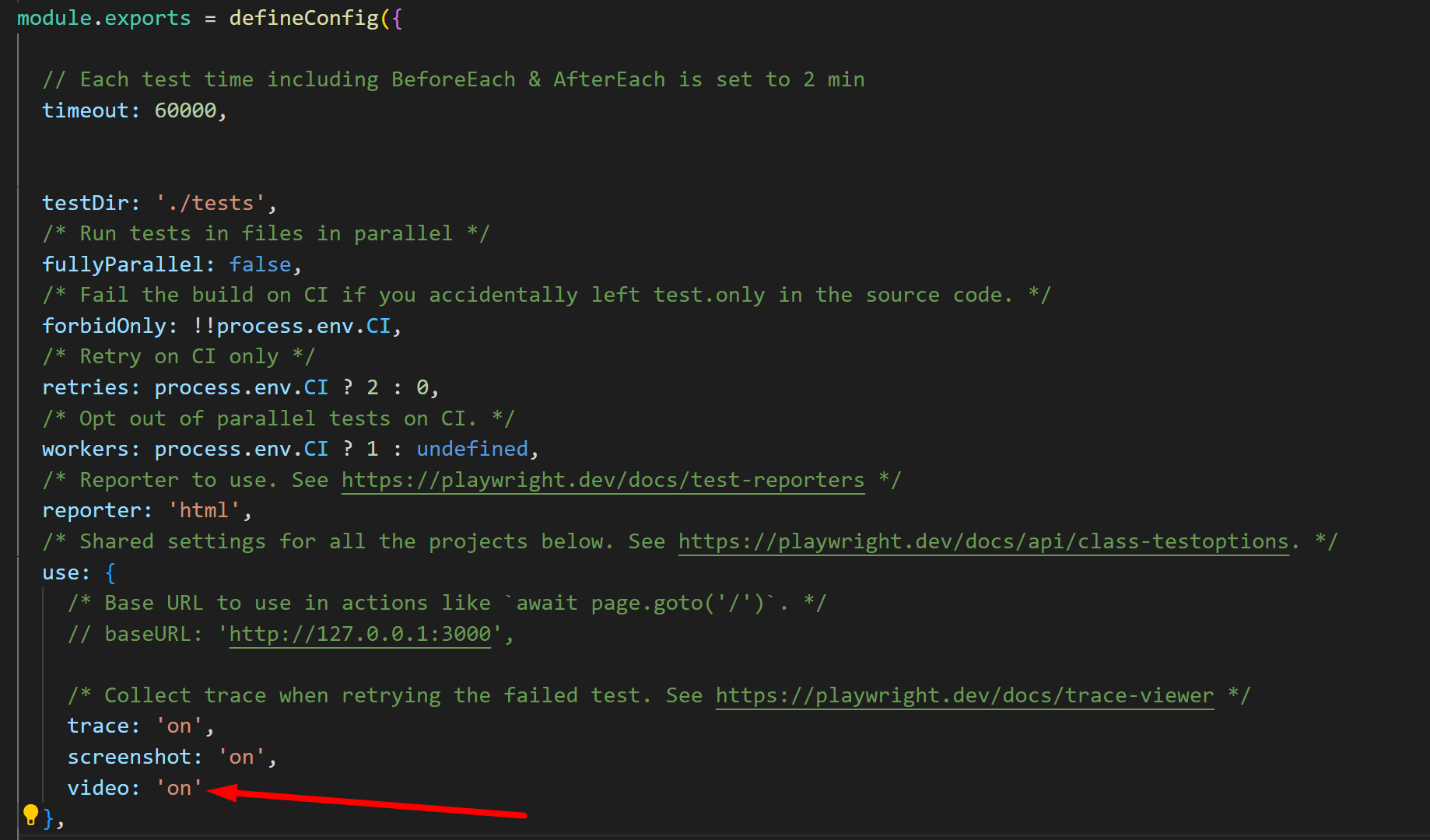
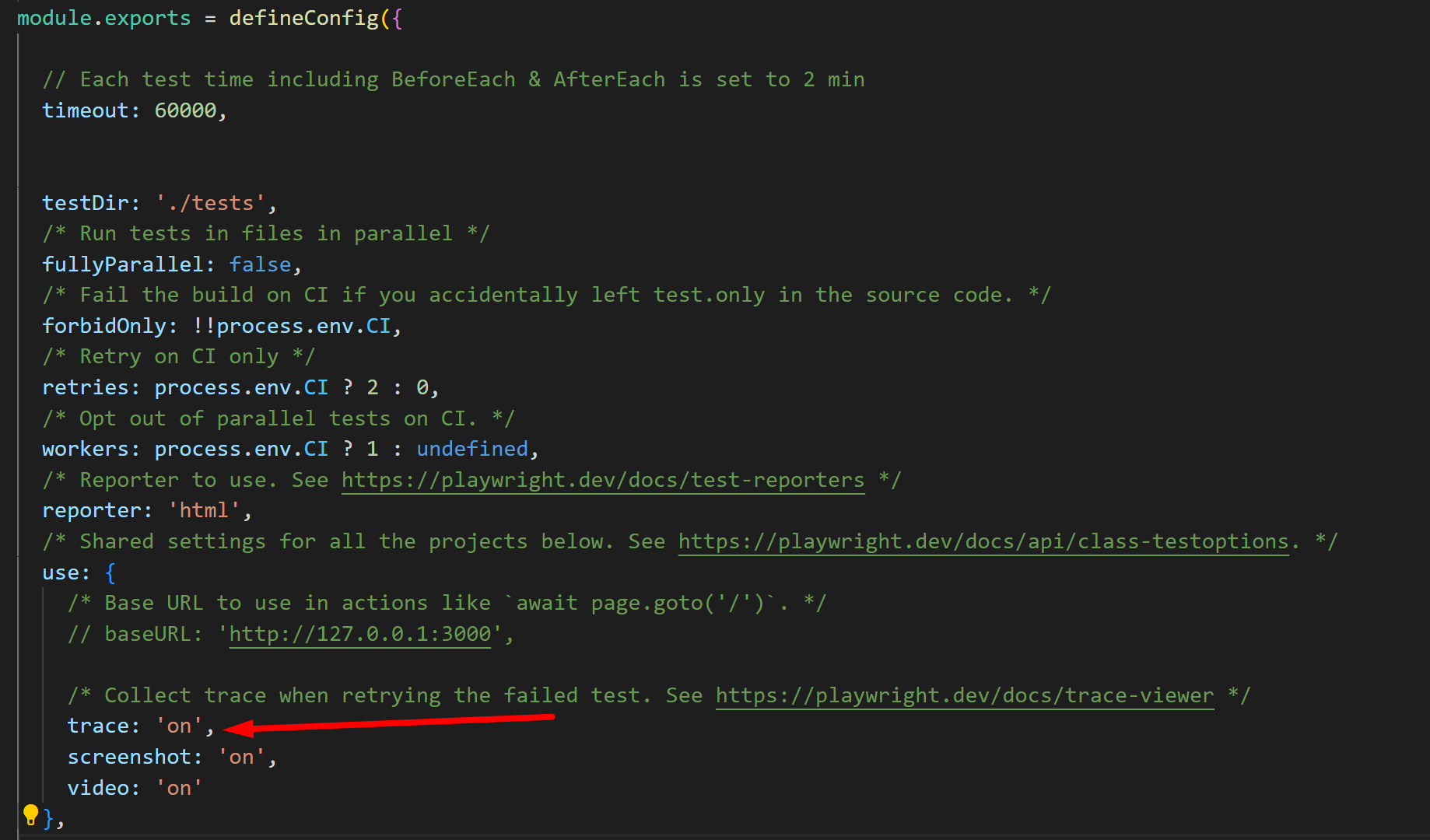
const {test, expect} = require('@playwright/test');

test('Test_1 @sanity', async () => {
    console.log('Test_1');
})

test('Test_2 @sanity', async () => {
    console.log('Test_2');
})

test('Test_3 @reg', async () => {
    console.log('Test_3');
})

test('Test_4 @reg', async () => {
    console.log('Test_4');
})

test('Test_5 @sanity @reg', async () => {
    console.log('Test_5');
})
npx playwright test 05_Tags --project=chromium --grep '@sanity'
npx playwright test 05_Tags --project=chromium --grep '@reg'
npx playwright test 05_Tags --project=chromium --grep '@sanity' --grep-invert '@reg'
let value = await page.evaluate(() => {
	return window.document.querySelector('locator').textContent;
});
const {test, expect} = require('@playwright/test');

let page;

// BeforeAll --------------------------------------------------------
test.beforeAll('beforeAll', async ({browser}) => {

    page = await browser.newPage();

    await page.goto('https://testautomationpractice.blogspot.com');

    console.log('beforeAll()');
})


// BeforeEach -------------------------------------------------------
test.beforeEach('beforeEach', async () => {
    console.log('beforeEach()');
})


// test_1 -----------------------------------------------------------
test('test_1', async () => {

    await page.fill('[id="name"]', "Sachin");

    console.log('test_1()');
})


// test_2 -----------------------------------------------------------
test('test_2', async () => {

    await page.fill('[id="email"]', "S@ch.in");

    console.log('test_2()');
})


// AfterEach --------------------------------------------------------
test.afterEach('afterEach', async () => {
    console.log('afterEach()');
})


// AfterAll ---------------------------------------------------------
test.afterAll('afterAll', async () => {

    await page.close();

    console.log('afterAll()');
})
const {test, expect} = require('@playwright/test');

// BeforeAll --------------------------------------------------------
test.beforeAll('beforeAll', async ({browser}) => {
    console.log('beforeAll()');
})


// BeforeEach -------------------------------------------------------
test.beforeEach('beforeEach', async () => {
    console.log('beforeEach()');
})

// Group-1 ----------------------------------------------------------
test.describe('Group-1', async () => {

    // test_1 -------------------------------------------------------
    test('Test-1', async ({page}) => {
        console.log("Test-1()")
    })

    // test_2 -------------------------------------------------------
    test('Test-2', async ({page}) => {
        console.log("Test-2()")
    })

})

// Group-2 ----------------------------------------------------------
test.describe('Group-2', async () => {

    // test_3 -------------------------------------------------------
    test('Test-3', async ({page}) => {
        console.log("Test-3()")
    })

    // test_4 -------------------------------------------------------
    test('Test-4', async ({page}) => {
        console.log("Test-4()")
    })

})

// AfterEach --------------------------------------------------------
test.afterEach('afterEach', async () => {
    console.log('afterEach()');
})

// AfterAll ---------------------------------------------------------
test.afterAll('afterAll', async () => {
    console.log('afterAll()');
})
test.describe.only('Group-1', async () => {

    // test_1 -------------------------------------------------------
    test('Test-1', async ({page}) => {
        console.log("Test-1()")
    })

    // test_2 -------------------------------------------------------
    test('Test-2', async ({page}) => {
        console.log("Test-2()")
    })

})
test.describe.skip('Group-2', async () => {

    // test_3 -------------------------------------------------------
    test('Test-3', async ({page}) => {
        console.log("Test-3()")
    })

    // test_4 -------------------------------------------------------
    test('Test-4', async ({page}) => {
        console.log("Test-4()")
    })

})
test.only('Test-1', async () => {
    console.log('Test-1()');
})
test.skip('Test-2', async () => {
    console.log('Test-2()');
})
test('Test-3', async ({browserName}) => {
    if (browserName === 'chromium') {
        test.skip();
    }
    console.log('Test-3()');
})
test('Test-4 | Approach-1', async ({browserName}) => {
    test.fail();
    expect(1).toBe(2);
    console.log('Test-4()');
})
test.fail('Test-4 | Approach-2', async ({browserName}) => {
    expect(1).toBe(2);
    console.log('Test-4()');
})
test('Test-5 | Approach-1', async ({browserName}) => {
    test.fixme();
    expect(1).toBe(2);
    console.log('Test-5()');
})
test.fixme('Test-5 | Approach-2', async ({browserName}) => {
    expect(1).toBe(2);
    console.log('Test-5()');
})
test('Test-6', async ({browserName}, testInfo) => {

    console.log(testInfo.timeout);
    test.slow();
    console.log(testInfo.timeout);

    console.log('Test-6()');
})
output
60000
180000
Test-6()
const {test, expect, chromium} = require('@playwright/test');

test('Browser Context & Multiple pages', async () => {

    const browser = await chromium.launch();
    const context = await browser.newContext();

    const page1 = await context.newPage();
    const page2 = await context.newPage();

    console.log('Total number of pages created:', context.pages().length);

})
const { test } = require('@playwright/test');

test('Handleing Multiple Pages/Tabs', async ({page}) => {

    await page.goto('https://testautomationpractice.blogspot.com');

    const context = page.context();

    const promisePage = context.waitForEvent('page');
    await page.click('//button[.="New Browser Window"]');

    const page2 = await promisePage;

    console.log(await page.title());
    console.log(await page2.title());

    console.log('Total number of pages created:', context.pages().length);
})
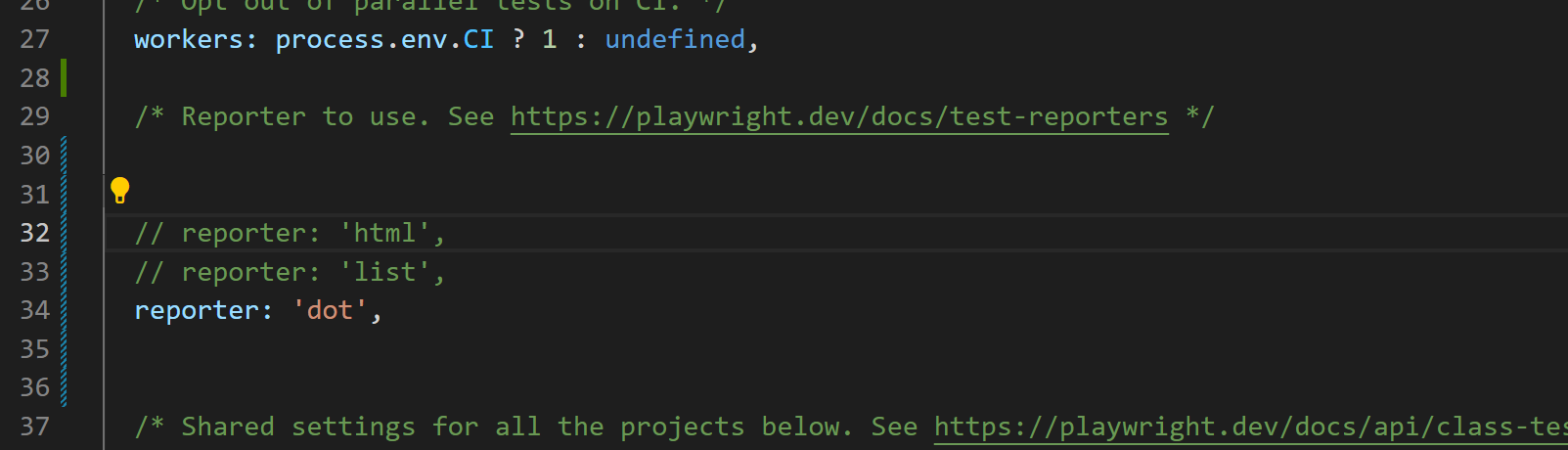
configuration.
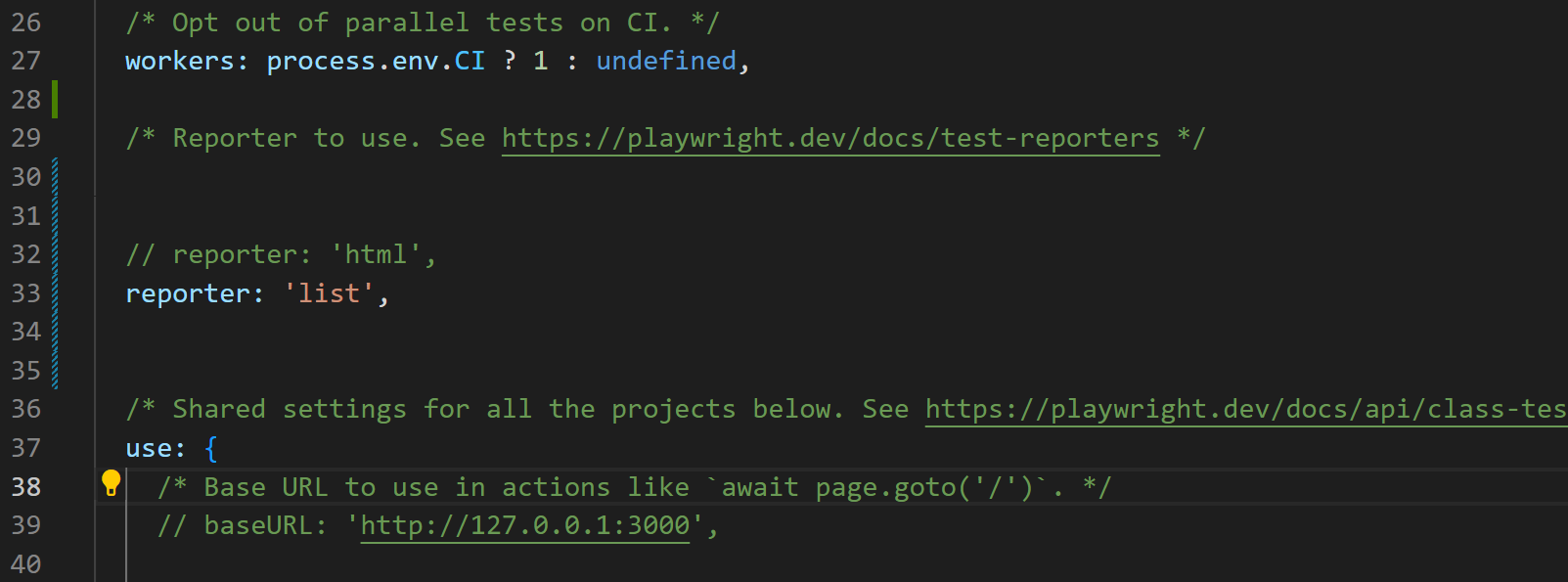
output.
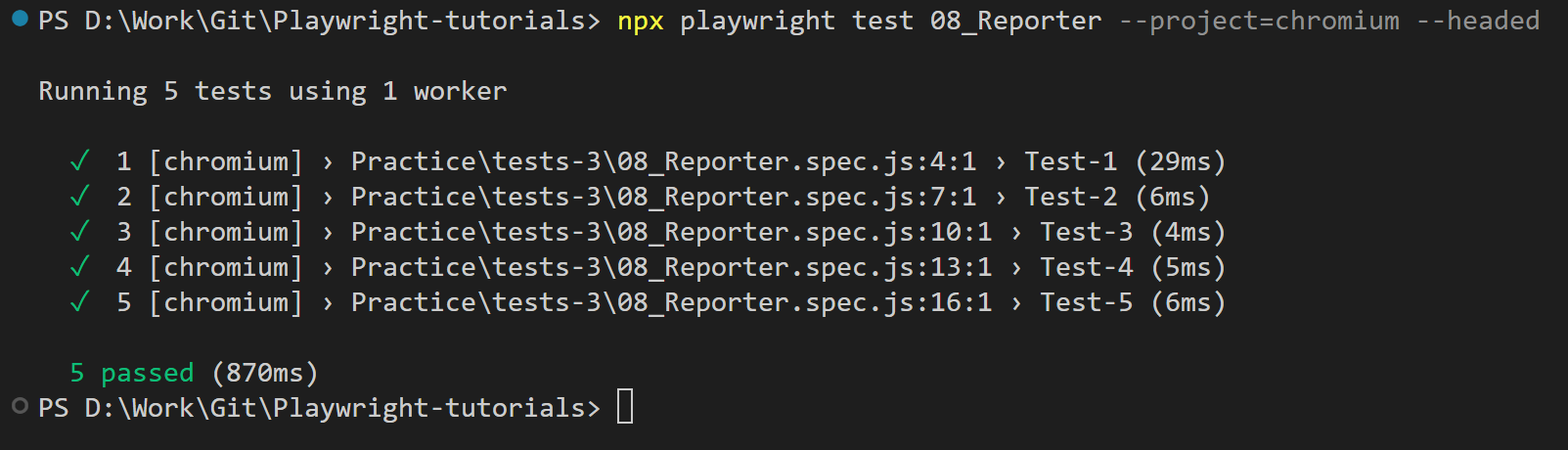
configuration.
output.
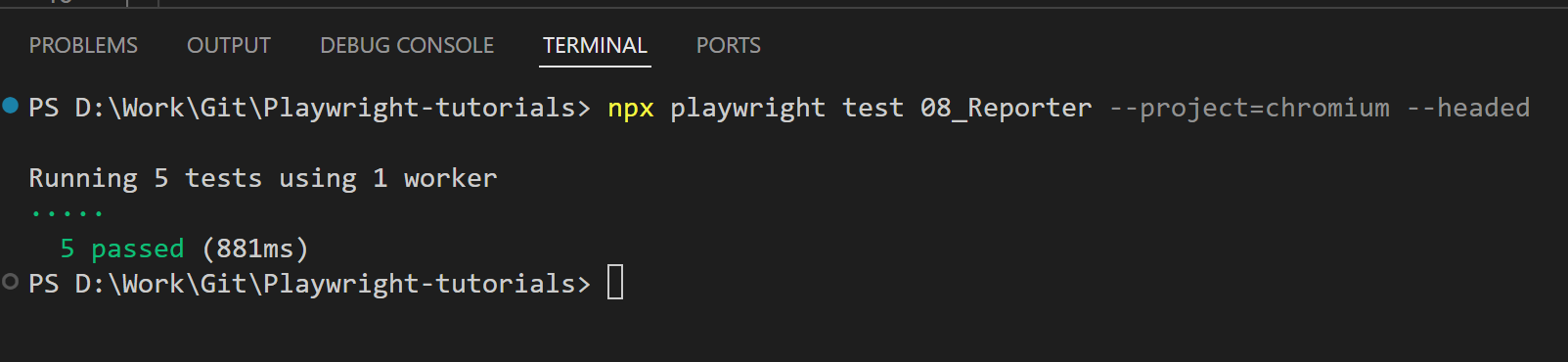
configuration.
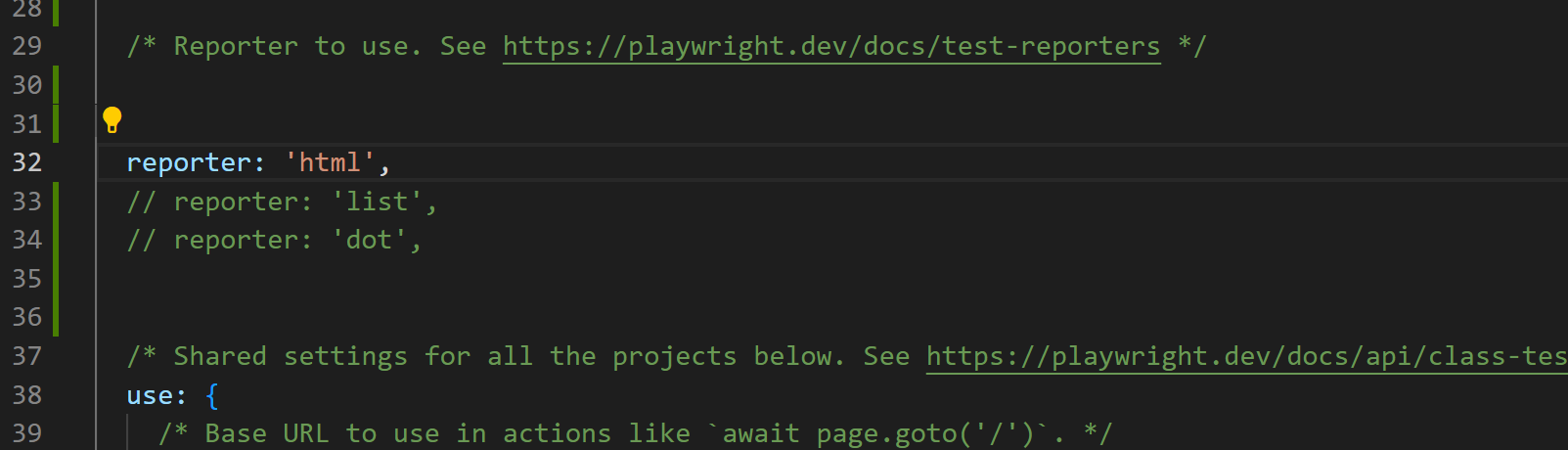
output.
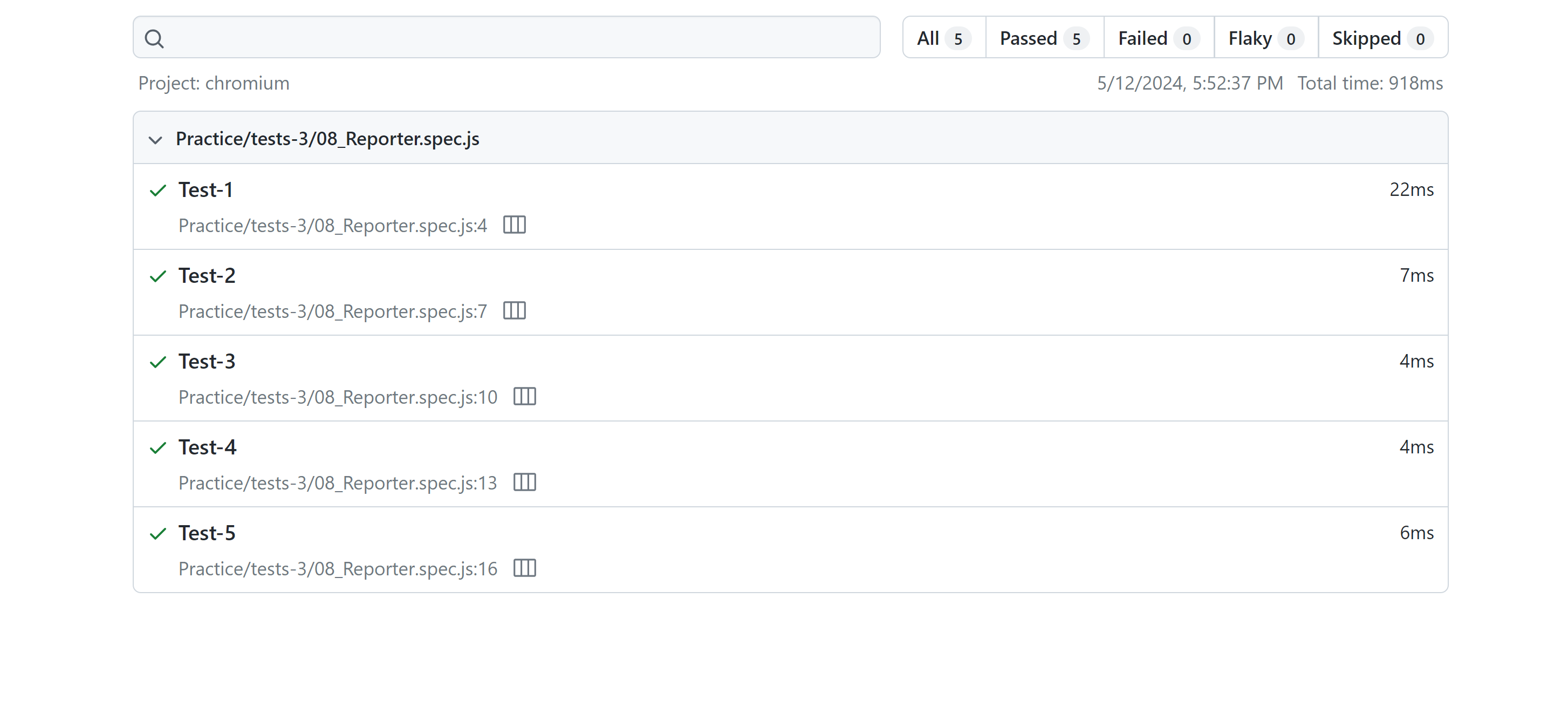
configuration.
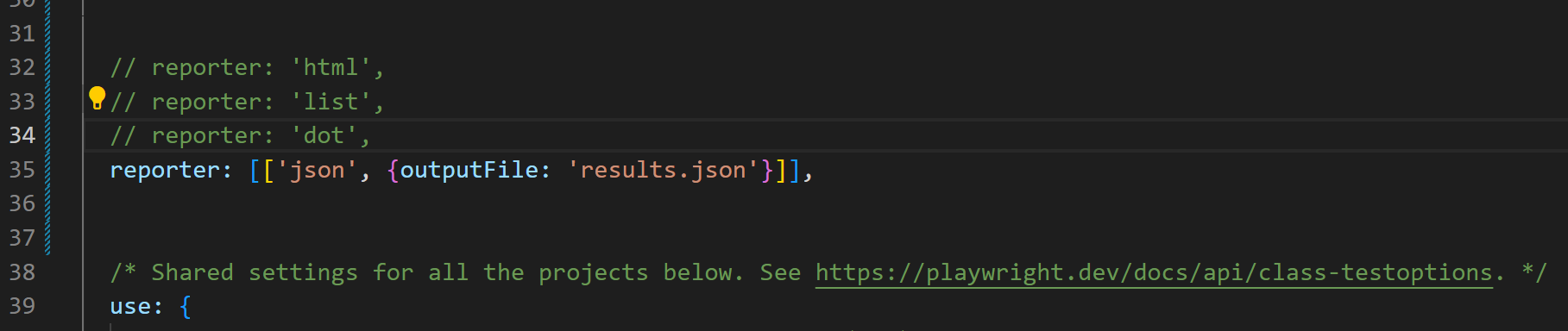
output.
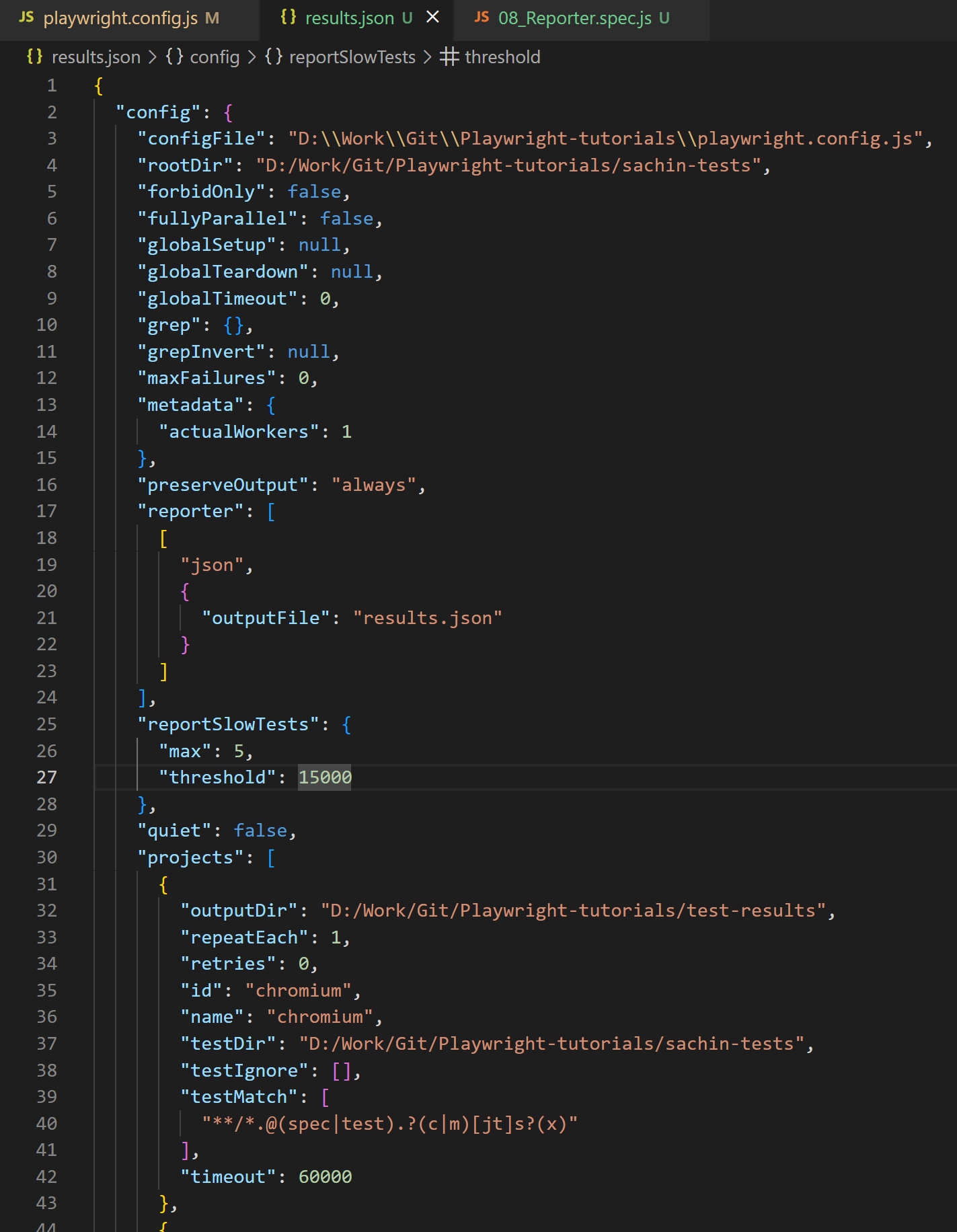
configuration.
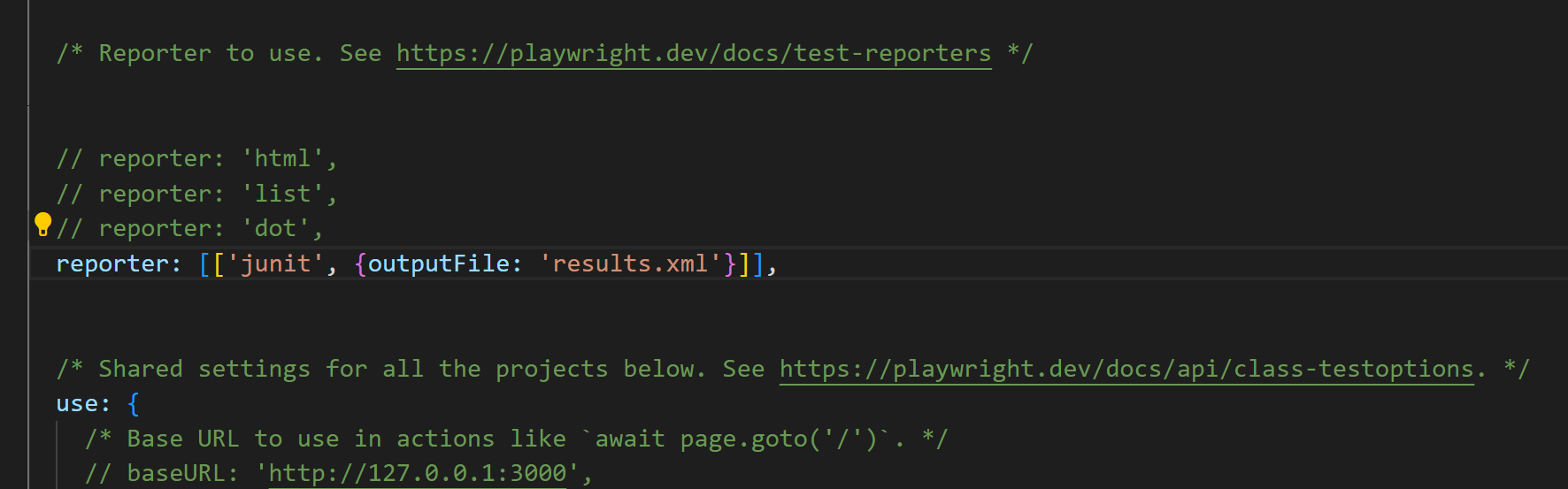
output.
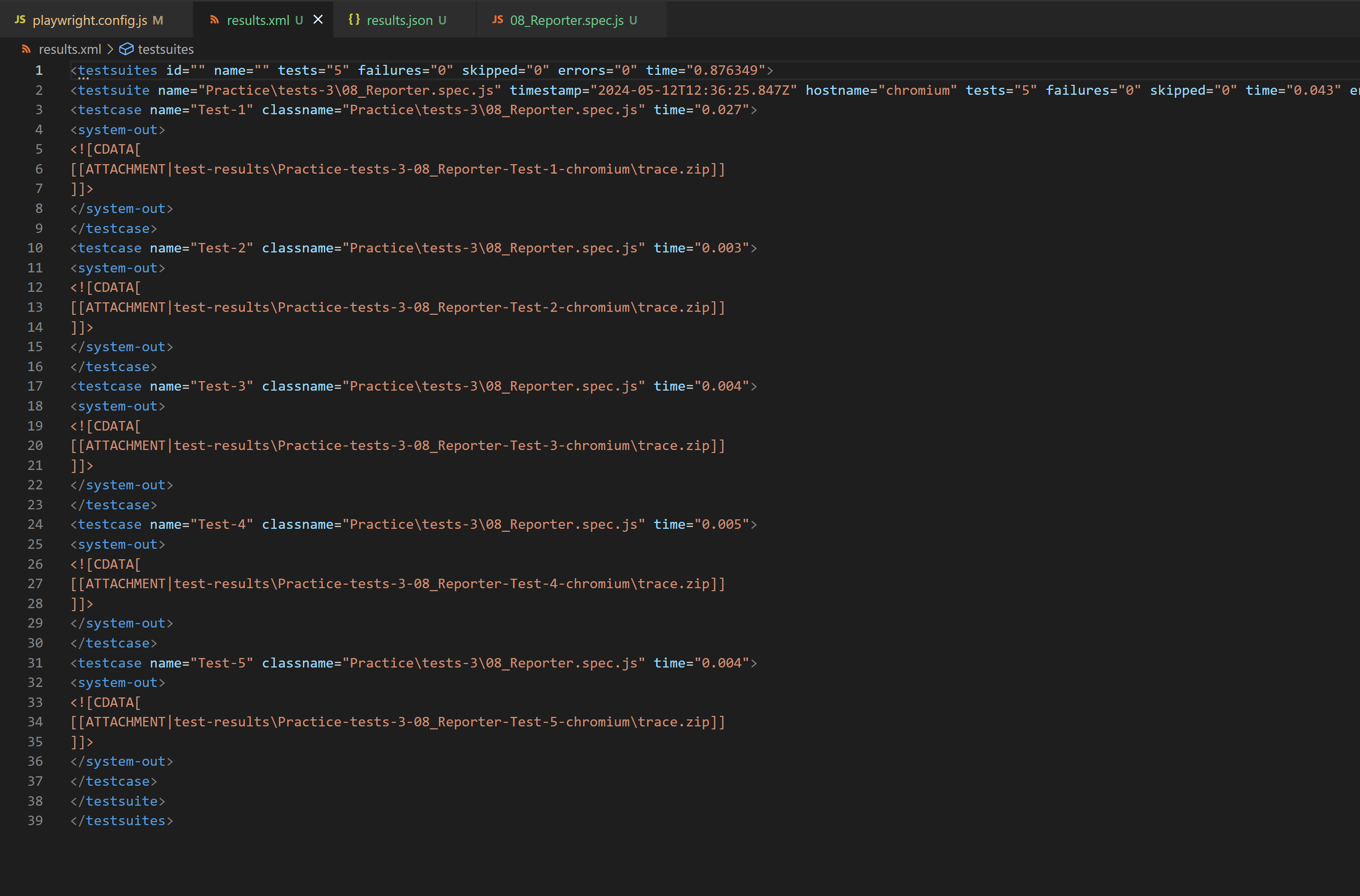
configuration.
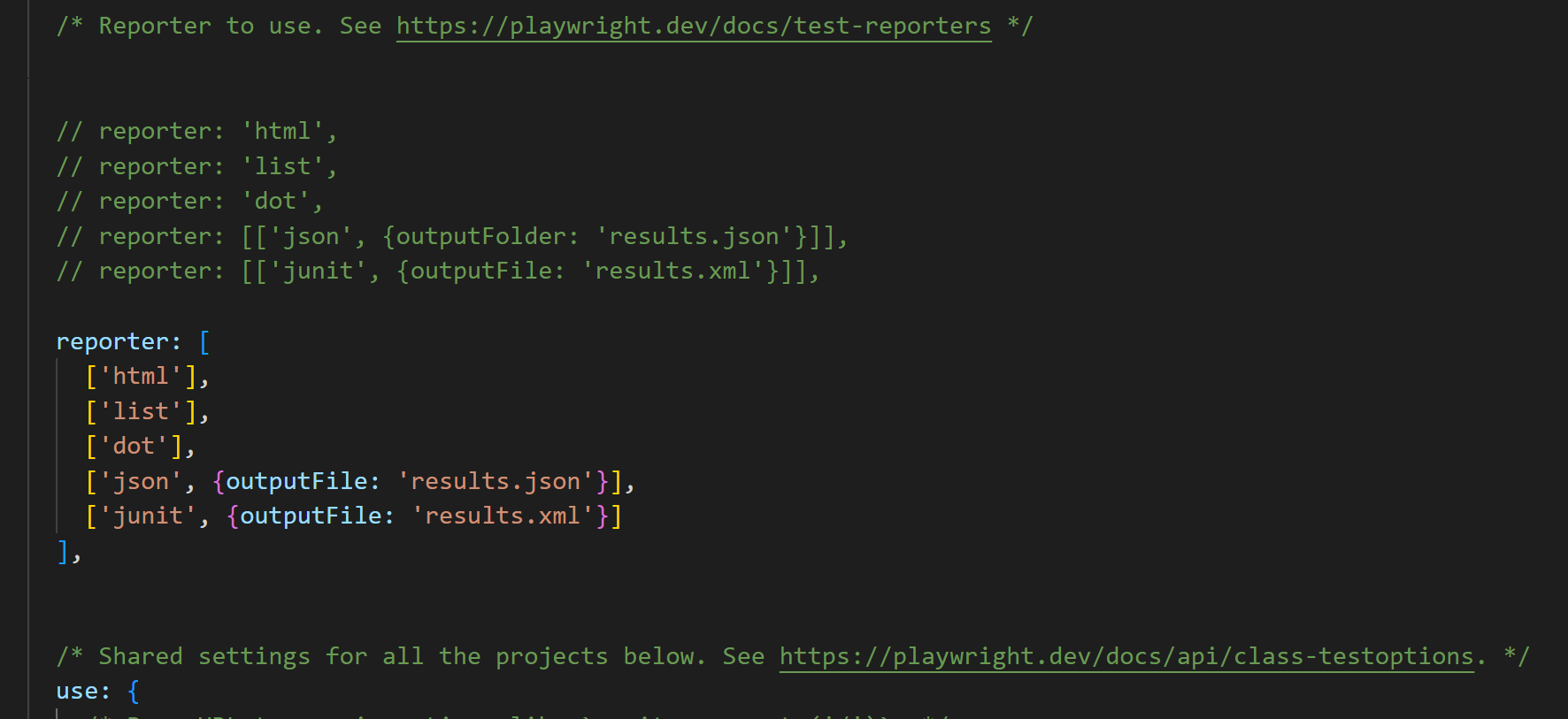
npm i -D @playwright/test allure-playwright
2. Execute below command to install allure-commandline (It is used to generate & open allure report).
npm install -g allure-commandline --save-dev
{
  reporter: "allure-playwright";
}
{
  reporter: [["line"], ["allure-playwright"]];
}
{
  reporter: [["line"], ["allure-playwright", {outputFolder: 'my-allure-results'}]];
}
allure generate my-allure-results -o allure-report --clean
allure open allure-report
const {test} = require('@playwright/test');

test('Test-1', async () => {
    let random = Math.ceil(Math.random() * 10);
    console.log(random);
    if (random === 3 || random === 6 || random === 9)
        test.fail();
})

test('Test-2', async () => {
    let random = Math.ceil(Math.random() * 10);
    console.log(random);
    if (random === 3 || random === 6 || random === 9)
        test.fail();
})

test('Test-3', async () => {
    let random = Math.ceil(Math.random() * 10);
    console.log(random);
    if (random === 3 || random === 6 || random === 9)
        test.fail();
})

test('Test-4', async () => {
    let random = Math.ceil(Math.random() * 10);
    console.log(random);
    if (random === 3 || random === 6 || random === 9)
        test.fail();
})

test('Test-5', async () => {
    let random = Math.ceil(Math.random() * 10);
    console.log(random);
    if (random === 3 || random === 6 || random === 9)
        test.fail();
})
{
    // retries: process.env.CI ? 2 : 0,
    retries: 1, // Retries 1 time.
}
PS D:\Work\Git\Playwright-tutorials> npx playwright test 09_RetryTests --project=chromium --headed

Running 5 tests using 1 worker
[chromium] › Practice\tests-3\09_RetryTests.spec.js:4:1 › Test-1
3
8
[chromium] › Practice\tests-3\09_RetryTests.spec.js:11:1 › Test-2
1
[chromium] › Practice\tests-3\09_RetryTests.spec.js:18:1 › Test-3
6
4
[chromium] › Practice\tests-3\09_RetryTests.spec.js:25:1 › Test-4
4
[chromium] › Practice\tests-3\09_RetryTests.spec.js:32:1 › Test-5
1
  5 passed (2.9s)
const {test, expect} = require('@playwright/test');

const baseURL = 'https://reqres.in';
let userId;

test('Get User', async ({request}) => {
    const response = await request.get(baseURL + '/api/users?page=2');

    expect(response.status()).toBe(200);

    const jsonResponse = await response.json();

    console.log(jsonResponse);

    expect(jsonResponse.data[0].id).toBe(7);
    expect(jsonResponse.data[0].email).toBe('michael.lawson@reqres.in');

})
test('Create User', async ({request}) => {

    const response = await request.post(baseURL + '/api/users', {
        data: {
            "name": "Sachin Kn",
            "job": "Quality analist"
        },
        headers: {
            'accept': 'application/json'
        }
    });

    expect(response.status()).toBe(201);

    const jsonResponse = await response.json();

    console.log(jsonResponse);

    expect(jsonResponse.name).toBe('Sachin Kn');
    expect(jsonResponse.job).toBe('Quality analist');

    userId = jsonResponse.id;

})
test('Update User', async ({request}) => {

    const response = await request.put(baseURL + '/api/users/' + userId, {
        data: {
            "name": "Sachin Kn",
            "job": "Developer"
        },
        headers: {
            'accept': 'application/json'
        }
    });

    expect(response.status()).toBe(200);

    const jsonResponse = await response.json();

    console.log(jsonResponse);

    expect(jsonResponse.name).toBe('Sachin Kn');
    expect(jsonResponse.job).toBe('Developer');

})
test('Delete User', async ({request}) => {
    const response = await request.delete(baseURL + '/api/users/' + userId);
    expect(response.status()).toBe(204);
})
https://rahulshettyacademy.com/client/auth/login
const { test } = require("@playwright/test");

test("Login using API to bypass the login page", async ({ request, page }) => {

  // Get the login token using API
  const response = await request.post(
    "https://rahulshettyacademy.com/api/ecom/auth/login",
    {
      data: {
        userEmail: "sachinknsachi@gmail.com",
        userPassword: "Sachin@123",
      },
    }
  );
  let token = (await response.json()).token;


  // Set the login token into browser
  await page.addInitScript((value) => {
    window.localStorage.setItem("token", value);
  }, token);


  // open the home page url, it will open without login.
  await page.goto("https://rahulshettyacademy.com/client");

  await page.pause();
});
const { test } = require("@playwright/test");

test.beforeAll('Get the storage state json file', async ({browser}) => {

    let context = await browser.newContext();
    let page = await context.newPage();

    await page.goto('https://rahulshettyacademy.com/client');

    await page.fill('#userEmail', 'sachinknsachi@gmail.com');
    await page.fill('#userPassword', 'Sachin@123');
    await page.click('[value="Login"]');

    await page.waitForLoadState('networkidle');
    await context.storageState({path: 'state.json'});

})

test("Use StorageState using API to bypass the login page", async ({browser}) => {

    let context = await browser.newContext({storageState: 'state.json'});
    let page = await context.newPage();

    // open the home page url, it will open without login.
    await page.goto("https://rahulshettyacademy.com/client");

    await page.pause();
});
const {test, expect} = require('@playwright/test');

const token = "eyJhbGciOiJIUzI1NiIsInR5cCI6IkpXVCJ9.eyJfaWQiOiI2NjVhY2ZiMWFlMmFmZDRjMGJlZDMxNWMiLCJ1c2VyRW1haWwiOiJzYWNoaW5rbnNhY2hpQGdtYWlsLmNvbSIsInVzZXJNb2JpbGUiOjk5MTY0MjM2MjgsInVzZXJSb2xlIjoiY3VzdG9tZXIiLCJpYXQiOjE3MTcyNTQyODMsImV4cCI6MTc0ODgxMTg4M30.9dzH4KFxbCqkwH27j46RaxTPUR784y8SJdQLfr023J4";

test('Intercepting - Manipulating the request', async ({page}) => {

    // Login and open site
    await page.addInitScript(value => {
        window.localStorage.setItem('token', value);
    }, token);
    await page.goto('https://rahulshettyacademy.com/client');

    await page.click('//button[contains(.,"ORDERS")]');

    // Setup Manipulate the request
    await page.route('https://rahulshettyacademy.com/api/ecom/order/get-orders-details?id=*', (route) => {
        route.continue({
            url: 'https://rahulshettyacademy.com/api/ecom/order/get-orders-details?id=621661f884b053f6765465b6'
        })
    })

    await page.locator("button:has-text('View')").first().click();
    await expect(page.locator("p").last()).toHaveText("You are not authorize to view this order")

    await page.pause();
})
const {test, expect} = require('@playwright/test');

const token = "eyJhbGciOiJIUzI1NiIsInR5cCI6IkpXVCJ9.eyJfaWQiOiI2NjVhY2ZiMWFlMmFmZDRjMGJlZDMxNWMiLCJ1c2VyRW1haWwiOiJzYWNoaW5rbnNhY2hpQGdtYWlsLmNvbSIsInVzZXJNb2JpbGUiOjk5MTY0MjM2MjgsInVzZXJSb2xlIjoiY3VzdG9tZXIiLCJpYXQiOjE3MTcyNTQyODMsImV4cCI6MTc0ODgxMTg4M30.9dzH4KFxbCqkwH27j46RaxTPUR784y8SJdQLfr023J4";

test('Intercepting - Manipulating the response', async ({page}) => {

    // Login and open site
    await page.addInitScript(value => {
        window.localStorage.setItem('token', value);
    }, token);
    await page.goto('https://rahulshettyacademy.com/client');

    // get the response and manipulate
    await page.route('https://rahulshettyacademy.com/api/ecom/order/get-orders-for-customer/*', route => {
        const response = page.request.fetch(route.request());
        route.fulfill({
            response,
            body: '{"data":[],"message":"No Orders"}'
        })
    });

    await page.click('//button[contains(.,"ORDERS")]');
    // await page.waitForResponse('https://rahulshettyacademy.com/api/ecom/order/get-orders-for-customer/*');

    await page.pause();
})
const {test, expect} = require('@playwright/test');

const token = "eyJhbGciOiJIUzI1NiIsInR5cCI6IkpXVCJ9.eyJfaWQiOiI2NjVhY2ZiMWFlMmFmZDRjMGJlZDMxNWMiLCJ1c2VyRW1haWwiOiJzYWNoaW5rbnNhY2hpQGdtYWlsLmNvbSIsInVzZXJNb2JpbGUiOjk5MTY0MjM2MjgsInVzZXJSb2xlIjoiY3VzdG9tZXIiLCJpYXQiOjE3MTcyNTQyODMsImV4cCI6MTc0ODgxMTg4M30.9dzH4KFxbCqkwH27j46RaxTPUR784y8SJdQLfr023J4";

test.only('Intercepting - Aborting the response', async ({page}) => {

    // Login and open site
    await page.addInitScript(value => {
        window.localStorage.setItem('token', value);
    }, token);

    // get the aborting the response which contains .jpg inthe request url response
    await page.route('**/*.jpg', route => {
        route.abort();
    });

    // await page.route('**/*', route => {
    //     return route.request().resourceType() === 'image' ? route.abort() : route.continue();
    // });

    await page.goto('https://rahulshettyacademy.com/client');

    await page.pause();
})
page.click(locator);

page.check(locator);
page.uncheck(locator);

page.fill(locator, 'Sachin');
page.type(locator, 'Sachin');

page.textContent(locator)

page.press(locator, 'Control+A');

page.selectOption(locator, { value: 'in' });
page.selectOption(locator, { index: 1 });
page.selectOption(locator, { lable: 'India' });
page.selectOption(locator, 'India');
page.selectOption(locator, ['red', 'green', 'white']);

dialog
page.on('dialog', async (dialog) => {
	console.log(dialog.type());
	console.log(dialog.message());

	await dialog.accept(); // for alert dialog
	await dialog.accept('Sachin');  // for prompt dialog
	await dialog.dismiss(); // for confirm dialog
});

page.frames().length;
page.frameLocator('[src="frame_1.html"]').locator('[name="mytext1"]').fill('Sachin');
page.frame({url: /.*frame_3.html/}).fill('[name="mytext3"]', 'Sachin');
page.frame({url: /.*frame_3.html/}).childFrames()[0]
  	.click('(//div[@role="listitem"])[1]//span[@role="presentation"]//label[normalize-space()="I am a human"]');

page.locator('//table[@id="productTable"]//tr').filter({
	has: page.locator('//td'),
	hasText: 'Product 2'
})

page.hover('#droppable')

page.click('#droppable', {button: 'right'});
page.click('[ondblclick="myFunction1()"]', {clickCount: 2});
page.dblclick('[ondblclick="myFunction1()"]');

page.locator('#draggable').dragTo(page.locator('#droppable'));

page.mouse.down();
page.mouse.up();

page.keyboard.down('Control');
page.keyboard.down('A');
page.keyboard.up('A');
page.keyboard.up('Control');

page.locator('#filesToUpload').setInputFiles('..\\tests\\resources\\File_1.pdf');
page.locator('#filesToUpload').setInputFiles(['File_1.pdf', 'File_2.pdf']);

page.screenshot({path: "sc.png"});
page.screenshot({path: "sc_full.png", fullPage: true});
page.locator('[name="BookTable"]').screenshot({path: "table.png"});

page.evaluate(() => {
	return window.document.querySelector('locator').textContent;
})
- npm init playwright@latest --> To install playwright
- npx playwright test --> Runs the end-to-end tests.
- npx playwright test --ui --> Starts the interactive UI mode.
- npx playwright test --project=chromium --> Runs the tests only on Desktop Chrome.
- npx playwright test --headed --> Runs the tests in headed mode.
- npx playwright test example --> Runs the tests in a specific file.
- npx playwright test --debug --> Runs the tests in debug mode.
- npx playwright codegen --> Auto generate tests with Codegen.
- npx playwright show-report --> To see report.
- npx playwright test uat\homePageTest.spec.js --> To run only specific module tests
- npx playwright test uat\homePageTest --> To run only specific module tests
- await expect(page).toHaveTitle('--title');
- await expect(page).toHaveURL('--url');
- await expect(page.locator('--locator')).toBeVisible();
- await expect(page.locator('--locator')).toBeEnabled();
- await expect(page.locator('--locator')).toBeDisabled();
- await expect(page.locator('--locator')).toBeChecked();
- await expect(page.locator('--locator')).toHaveAttribute('name', 'modifySearch');
- await expect(page.locator('--locator')).toHaveCSS('background-color', 'rgba(0, 0, 0, 0)');
- await expect(page.locator('--locator')).toHaveClass('btn btn-lg btn-outline-default d-flex align-items-center ng-star-inserted');
- await expect(--locator).toHaveId('lastname');
- await expect(--locator).toHaveJSProperty('loaded', true);
- await expect(--locator).toHaveScreenshot('image.png');
- await expect(--locator).toHaveText('Search');
- await expect(--locator).toContainText('Search');
- await expect(--locator).toHaveValue('Miami');
<select id="favorite-colors" multiple>
    <option value="R">Red</option>
    <option value="G">Green</option>
    <option value="B">Blue</option>
</select>
const multiSelectDdLocator = page.locator('id=favorite-colors');
await multiSelectDdLocator .selectOption(['R', 'G']);
- await expect(multiSelectDdLocator ).toHaveValues([/R/, /G/]);
const multiSelectDdOptionsLocator = page.locator('[id=favorite-colors] option');
- await expect(multiSelectDdOptionsLocator).toHaveCount(3);
- await expect(page).not.toHaveTitle('--title');
- await expect(page).not.toHaveURL('--url');
- await expect(page.locator('--locator')).not.toBeVisible();
- await expect(page.locator('--locator')).not.toBeEnabled();
- await expect(page.locator('--locator')).not.toBeDisabled();
- await expect(page.locator('--locator')).not.toBeChecked();
- expect(page).not.toHave--();
- etc...